

Imagine: you rise without the stress of rush hour traffic and log in to your WFH location of choice at home with the ideal cup of coffee. This is the remote work promise — the ideal many workers never stop longing for. But that is an oversimplified version of reality. Those distractions never end, work-life-fluidity gets very tiring very quickly, and if you let it isolation creeps right up on you — it can take that dream and convert it to a productivity nightmare in no time.

of US employees work remotely at least partially as of March 2025
If this resonates, you are not alone. Remote working is a fast-evolving landscape. By March of 2025, around one in five of us based in the US is working remotely, at least some of the time [1], and forecasts of the number of remote workers around the world predict that by the end of 2025, 70% of the global workforce will be working remotely at least five days each month [2]. Although the remote work boom might be behind us, with some employers now advocating for a return to office [3], remote work isn’t going anywhere; instead, the trend has become a fundamental part of business evolution [4]. Success in a work-from-home world is more than just relocating your laptop from your office to your lounge room. It means building a whole ecosystem—a specific collection of tools, rituals, and mindsets to ensure you succeed beyond the office.
This is the ultimate guide you have been looking for and also this article. In unbundling the six essential guides that will radically transform how you approach work from anywhere, making it not only sustainable but a starting point to perform your best work of your life. To read about how you can better streamline your workflow, head on over to The Realities No One Tells You About Building a Design Business. Let’s begin writing your remote success code.
Pillar 1: Zero-Lag, Zero-Stress Tech Foundation
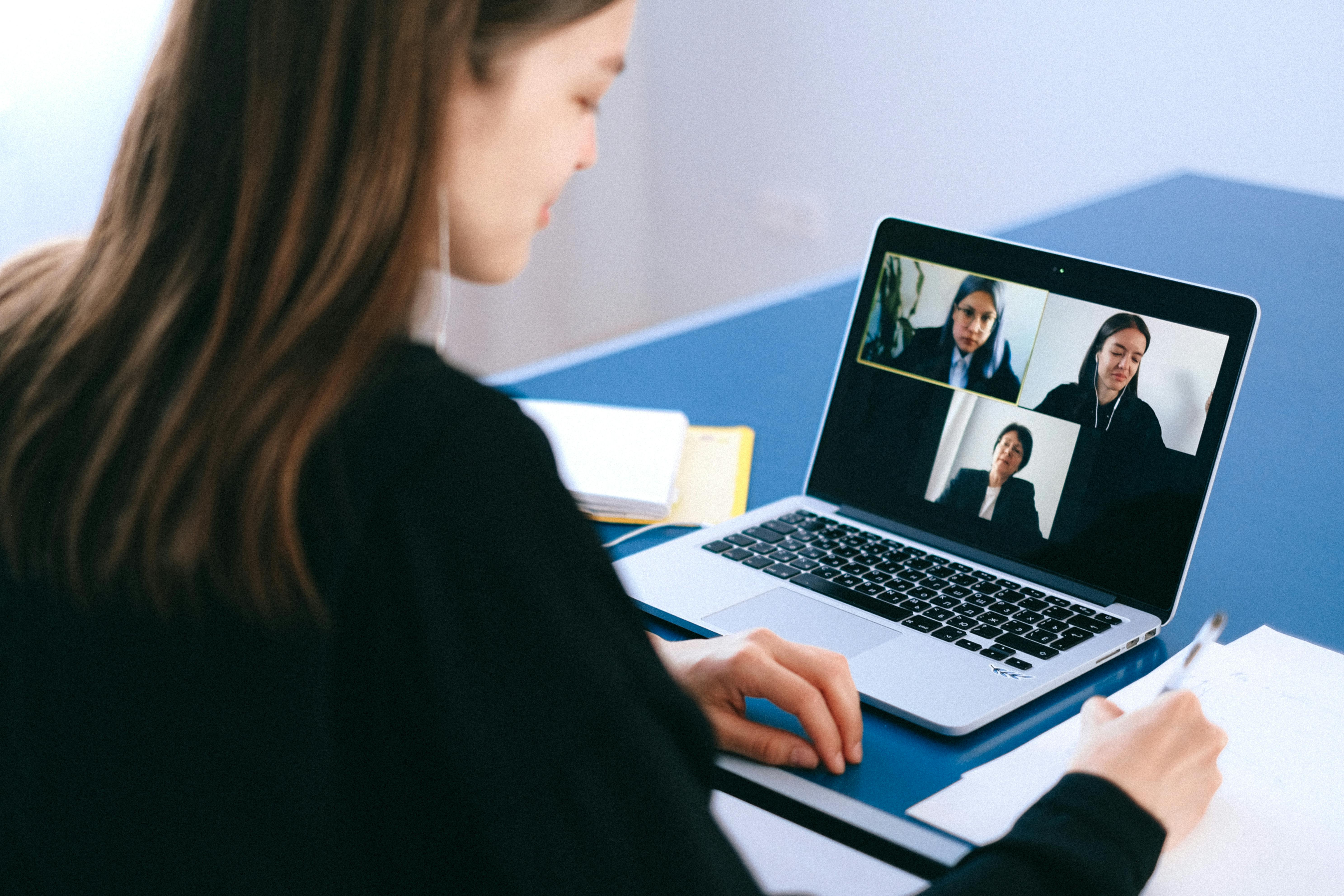
The tech stack in your remote career is the most important thing it is the central nervous system of your remote career. Your workflow and momentum can be derailed by even the most minor technical hiccup. Taking this pillar for granted is akin to erecting a skyscraper on quicksand. Let’s make your foundation unshakable.
Your Internet Connection — Unstable > Speed
A flaky connection while presenting to an important client is a guaranteed disaster.
- The Gold Standard: Download speeds of 25 Mbps and upload of 5 Mbps are great target baseline levels. Why these numbers? You need a download speed of at least 25 Mbps to stream video calls in HD (1080p) without any interruptions and drag large files from the cloud. The upload speed — 5 Mbps — is the unsung hero: this is what makes sure your video looks good to anyone looking at you and it keeps your screen sharing running smoothly (and not stuttering).
- The Backup Plan: Never put all your eggs in one basket. Mobile tethering on your phone as a last resort. Make sure you can work for a minimum of a couple of hours on your data plan should your primary connection fail.
- Rely on your router: The router provided to you from your broadband provider is usually below-average. A good quality third-party Wi-Fi router like the TP-Link AX3000 Archer AX55 Pro can make a world of difference in Wi-Fi strength and stability across your home if you work a little farther away from your Internet service provider, and it is well worth the investment.
Your Laptop: The Productivity Powerhouse
Your laptop represents your office, your boardroom, and your creative engine. Getting the right specs is an investment in your sanity and productivity — for the long haul.
- RAM (Random Access Memory): 8GB is the minimum you can get away with in 2025. It’s enough for standard multitasking. But if you’re a designer, developer, video editor, or are just the type who opens 30+ browser tabs and never closes them, 16GB is basically your bff now. This provides your system with breathing room and helps prevent the system from running slow.
- Storage: No more Hard disk caveats for your main drive. You must have one of the most additional a Solid State Drive (SSD). The contrast in speed is truly night and day. The booting of your system will happen in few seconds, and apps will launch immediately. A 512GB drive will also provide peace of mind, but 256GB is a decent start.
- Processor (CPU): The brain of your laptop. A current-gen Intel Core i5 or comparable AMD Ryzen 5 should be the minimum bar for smooth, efficient performance for the long haul.
Professional Sound: Fidelity Without Distractions
In the distant planet, your voice is a seamless reflection of how professional you are.
- Noise-Cancelling Headphones — Not a want, a need. Active Noise Cancellation (ANC) blocks out your low-frequency ambient noise (like A/C hum or construction rumble) to allow you to slip into a deep work state in the most chaotic of environments. If you can possibly swing it, go for the absolute best like the Sony WH-1000XM5 or Bose QuietComfort Headphones for zero distractions.
- A good quality mic: Well if you are going to have good headphones, a good mic comes with the territory. For proper professional audio, purchase a separate exterior mic such as the Blue Yeti USB Microphone. This means that your voice is very clear, and your co-workers listen to your thoughts— not your keyboard clatter or the echo in your cottage.
Pillar 2: The Digital Collaboration Ecosphere

Although we are working separately we are not working alone. With the right tools, hitting the collaborative efficiency bar with a physical office can often be replicated—and be even better suited to the scale of the workforce.
Real-Time Communication: Your Virtual HQ
This is where the teams daily rhythm resides.
- Slack or MS Teams — Use Channels to separate conversations by project (#project-phoenix), team (#marketing-sqd), or subject matter (#random). Most importantly, if you want to keep replies to a certain message in one place, use Threads One of the most important elements of digital citizenship helps clear the main channel and honours your colleagues concentration.
Transparent Task & Project Management
“What’s the status on that?” should rarely be put into a question form.
- Trello or Asana — Both of these tools are great, albeit in slightly different ways. For linear workflows such as content pipelines and bug tracking, the visual Kanban board style (“To Do,” “In Progress,” “Done”) of Trello is extremely intuitive. Asana’s strength is in handling complex projects that have dependencies (for instance, Task B can only start when Task A has finished) and provides robust timeline views. Select the variant according to your project complexity with a team.
Productive Virtual Meetings
Zoom fatigue is real. Spend every minute on camera wisely.
- Zoom or Google Meet: Advance proficiency with the basics: share your screen for presentations, sit in a virtual background if you need a high degree of privacy and professionalism, use the mute button as your default state when you are not talking. If your meetings are bigger, use breakout rooms during your online group meeting to have more small-scale and impactful discussions.
Pillar 3: Build Discipline & Balance with Routines

The flexibility of remote work is its greatest blessing and its greatest curse, Unless you create your own structure you are in for a quick ride to exhaustion or a complete breakdown in productivity.
Strict Boundaries Between Work and Life
- Create Destructive Transition with “Startup” and “Shutdown” Rituals: Bookend Your Day. A “startup” routine could just be swapping out of your pajamas, brewing a cup of joe, and sitting at your desk by a certain hour. For example, a ‘shutdown’ could be cleaning your desk, closing your laptop for the day, and then immediately engaging in a non-work activity such as going for a walk. To have a natural and systematic way to learn how to be disciplined and productive, use the right tool: either The Journal Mastery or the Self-Mastery Journal for Men. This tells your brain when to be turned ON and — equally important to me — when to be turned OFF.
- Declare When You Are Working: Define when you work and share that in your Slack status, on your calendar, in your email signature. That sets up your availability boundaries — when you are on call and off the clock.
Workspace Architecture that Fuels Focus
- Designated Space: Consistently working from the couch or bed leads to poor posture and dwindling concentration. Designate a desk or a small corner of your room as your work area A Wooden Desk Organizer & Docking Station would help keep your workspace clean and appealing to your eyes, letting your mind run free from any distractions.
- Tip #4: Ergonomics Are Not Optional: Get a good supportive chair, such as the SIHOO Ergonomic Office Chair; If using a laptop, use a laptop stand or a few books to raise the screen to eye level — these boost your productivity; Also buy an external keyboard and mouse. It is ALL worth it when it comes to your health for the long haul.
Strategic Breaks for Sustainable Energy
Our brains are not designed to work for eight hours straight.
- Use the Pomodoro Method: This shit is brutal. Practice an intense, focused sprint for 25 minutes and then take a 5-minute complete away from screen break. Using a tool like the Pomodoro Timer Cube can really help you to break away from your digital devices during those breaks: it is a physical Pomodoro timer that you set to help guide you through the process more seamlessly. Then you should take a longer break of around 15-30 minutes after every 4 cycles. Take advantage of the little breaks to stretch, take a sip of water, or look out of the window. This does not allow mental fatigue and maintains your morning energy throughout the day.
Pillar 4 → The Science of Structuring & Prioritizing

When it comes to your own business, you must be your best project manager.
Transforming a To-Do List into an Action Plan
- Schedule Tasks Directly Into Your Calendar: Rather than writing a to-do list, time-block them directly into your calendar as appointments. For example “09:00 – 10:30 : Write Q3 Sales Report” This transforms fuzzy assumptions into a binding contract and vigorously ward off productivity from interruptions.
Stop Defending the Urgent but Focus on the Important
- Eisenhower Matrix: Categorize your tasks mentally in four quadrants;
- Q2 Urgent & Important: Fire Fighting, reactive issues, non negotiable deadlines (Do it now).
- Low Priority-High Impact: Establishing sustainable progress, Fitness, establishing a rapport, Working through sustainable forms of change. (Schedule it). This is how you engineer success in the long run.
- These include: Some emails, interruptions, pointless meetings Urgent & Not Important (Delegate or minimize).
- Neither Urgent Nor Important: Mindless scrolling, time-wasters. (Eliminate).
Conquering Giant Projects
- Breaking it down: Seeing “Develop Annual Marketing Strategy” makes you want to hide. Deconstruct it into absurdly simple, bite-sized tasks. For instance: 1) Investigate competitor A. 2)Review previous performance metrics. Next, come up with three central campaign concepts. 4) Define success metrics. That small tick every time helps, and a little bit of dopamine gains you momentum.
Pillar 5: Develop Your Fortress of Focus

Home is a place full of distraction landmines. Developing good defenses is the secret to deep work.
Setting Social Expectations
- The Conversation Behind The “Closed Door”: Get Face-to-Face with Family or Roomies If my office door is closed or I have my headphones on, it means I am in deep focus. Please do not interrupt unless it will die.” It will be uncomfortable at first — but it is mandatory.
Taming the Digital Beast
- Battling Technology With Technology: If you need to, and I bet you do, download an app such as Freedom, Cold Turkey or Forest to block the most distracting websites and apps (social media, bullshit news websites) during your planned work blocks.
- Remove all nonessential notifications — every ping is a slice of your attention Mute every single notification on your phone and desktop except the absolutely mission-critical ones. Set aside particular times to batch-process your email and your messages instead of having them interrupt you all day.
Pillar 6: The Desire to Learn & Grow

Well, then, working away from home can become an island experience. It literally means learning as you go, within the meaning that you have to actively participate to keep learning and to stay connected.
Buzzword Bingo | Virtual Networking & Finding Your Tribe
- Join relevant communities, Find Your People: Look for communities relevant to your niche on platforms such as LinkedIn Groups, Slack, Discord or Reddit. Engage in the discussions actively, ask intelligent questions, and spread around the knowledge you have gainted by that time. It’s the best way to be plugged into industry trends, new mentors, and even opportunities.
Embrace Being a Perpetual Student
- Create Learn Time: Carve out time on your calendar every week to work on your own professional development. Online Courses Use Coursera, edX, LinkedIn Learning, or Skillshare (e.g., Master Time Management: Elevate Your Productivity Efficiency, or Productivity and Time Management: Beginner to Expert). Take online courses that refine your existing skills or develop new skills.
Keep Your Finger on the Pulse
- 0914 – Curate your information diet: Subscribe to a couple of key industry newsletters, follow a number of the top thinkers in your space on social media, review a few relevant podcasts during your downtime while driving (if you have a commute!) Blinkist Subscription for consuming knowledge more effectively: get the main points of non-fiction books in just 15 minutes. It’s a massive career advantage to be the most informed person in the “room.”
Want To Change Your Remote Working Lifestyle?
Today, start employing these strategies, and see your productivity skyrocket. Important: remote working is a process, not an outcome.
Level up Your Remote Work Strategy: What to Do Next
Remote work is not an ultimate goal; it is a never-ending refining process. So, it is about creating an OS that works for you instead of contra. Begin with a strategy or two for each pillar that resonates with you the most. Do them regularly for a couple of weeks. Feel the difference.
However, the kind of discipline and preparation that leads to simpler living ends with true freedom and flexibility. However, with the right blueprint, you’ll not just be getting shit done — but rather thriving.
What’s the first thing that you’re going to do? Submit your top remote work problem in the comments and we’ll work it out together.
References
- https://backlinko.com/remote-work-stats
- https://www.linkedin.com/pulse/future-remote-work-trends-predictions-2025-realtime-recruitment-l8e4e
- https://www.cnbc.com/2025/03/23/5-years-into-the-remote-work-boom-the-return-to-office-push-is-stronger-than-everheres-why.html
- https://activecollab.com/blog/culture/future-of-remote-work


Leave a Comment