


Modern mobile app development requires strategic planning, technical expertise, and market understanding
Every single day, thousands of new mobile apps are submitted to the Apple App Store and Google Play Store. Almost all of them will fail. They won’t fail because the idea was bad or the code was buggy. They will fail because their founders mistook building an app for building a business.
Apps like Headspace, the mindfulness empire, or Duolingo, which redefined language learning, weren’t born from a lucky break. They were meticulously engineered—not just the code, but the business strategy, the user psychology, the launch plan, and the growth engine. They followed a playbook.
This is that playbook.
Forget everything else you’ve read. This is a 3,000-word, no-fluff masterclass designed to be the single source of truth for founders. We will cover the entire journey, from validating your idea with zero code to navigating the treacherous App Store review process, and scaling to your first 100,000 users. Let’s begin.
- Phase 1: The Foundation (From Idea to Bulletproof Concept)
- Phase 2: The Architecture (Choosing Your Tech DNA)
- Phase 3: The Experience Engine (Engineering Delight)
- Phase 4: The Pre-Launch (Building Momentum Before Day One)
- Phase 5: The Launch & The Climb (Mastering the App Stores)
- Phase 6: The Growth Machine (Acquisition & Virality)
- Phase 7: The Revenue Engine (Intelligent Monetization)
- Phase 8: The Living App (Iteration & Compliance)
- Frequently Asked Questions
🚀 Master Mobile Development Skills
For those looking to gain comprehensive skills in mobile development, including Android, iOS, Flutter, and Kotlin, explore diverse learning opportunities with hands-on certification programs.
Start Learning Now →Phase 1: The Foundation (From Idea to Bulletproof Concept)

Strategic planning and market research form the foundation of successful mobile apps
For those just starting their journey in mobile app development, an excellent foundational course is Introduction to Mobile App Development. This course covers the basics of iOS/Android development, including idea validation and backend services like Firebase, providing a solid starting point.
An idea is worthless. A validated solution to a burning problem is everything. Before you even think about writing a single line of code, the most critical step is to ensure your app addresses a genuine need in the market. This foundational phase is about rigorous market research, problem validation, and competitive analysis to forge a concept that is not just innovative but also inherently viable and scalable.
Step 1: Find a “Burning Problem,” Not Just a “Cool Idea”
Stop brainstorming app features. Start observing human behavior. What are people struggling with? What inefficient “hacks” or expensive workarounds are they using? The most successful apps don’t just offer convenience; they solve significant pain points or fulfill deep-seated desires. Think beyond superficial trends and delve into the core frustrations of your target audience.
- The Vitamin vs. Painkiller Test: Is your app a “vitamin” (nice to have) or a “painkiller” (solves an urgent need)? Painkillers are infinitely easier to sell because they address immediate, pressing issues. Headspace isn’t just a vitamin; it’s a painkiller for anxiety and stress, offering a tangible solution to a widespread problem. Similarly, Strava acts as a painkiller for athletes who desperately need to track progress, analyze performance, and find community, transforming a solitary activity into a shared, data-driven experience.
Step 2: Validate the Problem with Zero Code (The $100 Method)
Before you write a single line of code, you must prove people will pay for your solution. This lean validation approach minimizes risk and saves invaluable resources by testing market demand directly.
🎯 Build Landing Pages Fast
For quickly creating effective landing pages for your “fake door” tests and early validation, use user-friendly tools that let you focus on validating your idea without getting bogged down in complex web development.
Create Landing Page →Create a “Fake Door” Landing Page: Use a simple, cost-effective builder like Carrd or Leadpages. The page should feature a compelling headline that immediately communicates your app’s core value proposition, followed by 3-5 concise bullet points explaining the key benefits of your future app. Conclude with a single, clear call to action: “Get Early Access” or “Join the Private Beta.” The design should be clean, professional, and mobile-responsive to ensure a seamless user experience.
Add a Price Point: Here’s the pro move that differentiates genuine interest from casual sign-ups. When a user clicks the initial call-to-action button, direct them to a second page that presents a hypothetical price for your service (e.g., “$7.99/month”). Crucially, include a button that says “Secure My Spot & Get 50% Off at Launch.” This step simulates a real purchase decision, providing a much stronger signal of intent than a simple email capture.
Measure Intent: When they click that final button, you finally reveal it’s a waitlist. The key metric isn’t merely the email sign-up; it’s the number of people who clicked the button after seeing a price. This conversion rate from pricing page view to waitlist sign-up is the strongest indicator of purchase intent and market validation. It tells you if your proposed solution and pricing resonate with your target audience.
Drive Traffic: Spend a modest $100 on targeted Meta (Facebook/Instagram) ads pointed at this landing page. Utilize precise demographic and interest-based targeting to reach your ideal customer. If you can’t get a significant number of people to click through the pricing page and express purchase intent, your idea or your messaging is flawed. This is a cheap lesson to learn, saving you potentially thousands of dollars and months of development time on an unvalidated concept.
📊 Optimize with Market Intelligence
To gain a competitive edge and optimize your App Store Optimization (ASO) strategy, use powerful market intelligence tools that provide deep insights into competitor performance, keyword trends, and user reviews.
Analyze Competition →Step 3: Analyze the Competition (And Find Your Unfair Advantage)
Thorough competitive analysis is not about copying; it’s about identifying gaps and opportunities. Use powerful market intelligence tools like Sensor Tower or App Annie to research direct and indirect competitors. Don’t just look at their features; meticulously analyze their user reviews, particularly the 1-star and 3-star ratings. These are a goldmine of customer frustrations, unmet needs, and areas where your competitors fall short. Your unique value proposition (UVP) lies in solving the problems your competitors ignore or address inadequately. This is where you carve out your niche and establish a defensible market position.
Phase 2: The Architecture (Choosing Your Tech DNA)
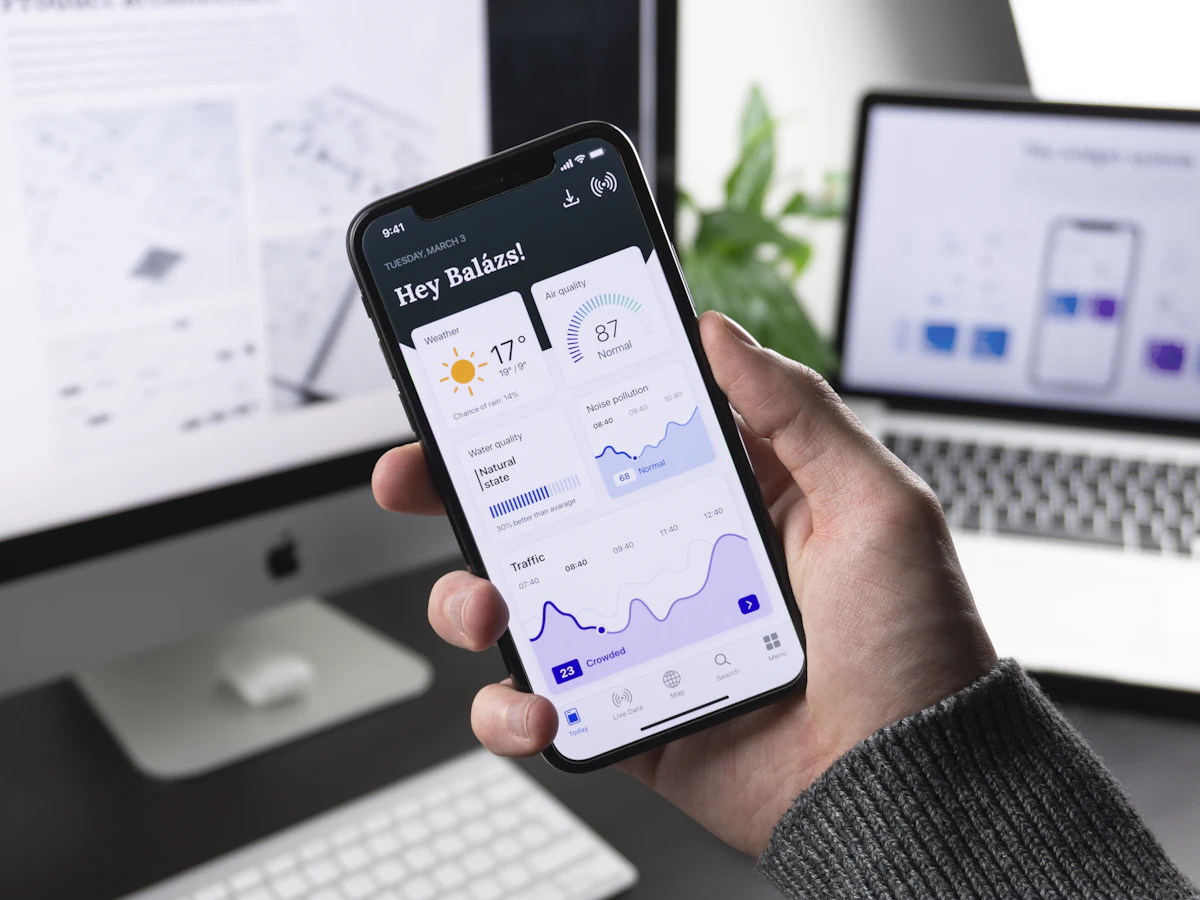
Choosing the right technical architecture is crucial for app performance and scalability
Now that you have a validated concept, you can build the machine. The technological choices you make in this phase will profoundly impact your app’s performance, scalability, development cost, and future maintainability. Selecting the right architecture is about aligning your technical stack with your business goals and resources.
🎨 Design-Focused App Building
For those seeking a powerful app builder that prioritizes design and user experience, create native iOS & Android apps and PWAs with a strong focus on aesthetics and functionality, offering an alternative to traditional coding.
Build Beautiful Apps →Native vs. Cross-Platform: The 2025 Verdict
This debate is crucial and often determines the trajectory of your mobile app development. There’s no one-size-fits-all answer; the best choice depends on your specific project requirements, budget, and long-term vision.
⚡ Transform Designs into Apps
If you prefer to design in tools like Figma or Adobe XD and then convert your designs into functional native apps, use seamless solutions that can significantly accelerate your development workflow, especially for designers-turned-founders.
Convert Designs →- Go Native (Swift for iOS, Kotlin for Android) if:
- Performance is your primary feature: For apps where milliseconds matter, such as high-speed games, complex photo/video editors, or augmented reality (AR) applications, native development offers unparalleled performance and responsiveness.
- You need deep, reliable integration with native hardware: If your app heavily relies on advanced device features like custom camera functionalities, intricate Bluetooth protocols, NFC, or cutting-edge AR/VR frameworks (e.g., ARKit, ARCore), native access provides the most robust and optimized solution. For those committed to native iOS development, a comprehensive resource is iOS & Swift – The Complete iOS App Development Bootcamp. This bootcamp covers everything from Swift fundamentals to App Store submission, ensuring you have the skills to build high-quality native iOS applications.
- You have the budget for two separate, specialized teams: Native development typically requires distinct iOS and Android development teams, increasing initial costs and maintenance overhead. However, it allows for the absolute best, most fluid, and platform-specific user experience, leveraging each operating system’s unique design guidelines and capabilities.
For those looking to build robust cross-platform applications, especially for startups, consider mastering Learn React with TypeScript: A beginner’s guide to building real-world, production-ready web apps with React and TypeScript. This guide is perfectly aligned with the architectural phase discussed, focusing on building scalable and maintainable applications. If you choose the cross-platform route, especially for startups, consider enrolling in The Complete React Native + Hooks Course. This comprehensive course will teach you to build robust cross-platform applications with React Native, aligning perfectly with the recommendations for speed-to-market and budget efficiency.
- You are a startup focused on speed-to-market and validating a business model: Cross-platform frameworks allow you to develop a single codebase that runs on both iOS and Android, drastically reducing development time and accelerating your time to market. This is ideal for quickly testing an MVP and gathering user feedback.
- Your app is content-driven: For applications primarily focused on displaying and managing content—such as media apps, e-commerce platforms, social networking tools, or informational portals—cross-platform solutions offer excellent performance with significant development efficiencies.
- You have a limited budget and need one team to manage both iOS and Android: By consolidating your development efforts, you can achieve broader market reach with fewer resources, making cross-platform development a highly attractive option for bootstrapped startups or smaller teams.
🚀 Accelerate Development with Templates
To accelerate your development and launch process, especially for common app types, leverage pre-built templates for React Native and Flutter apps, allowing you to jumpstart your project with a solid foundation.
Get App Templates →- Pro Hack: Headless Architecture: For many content-heavy apps like Headspace, a “headless” architecture is ideal. In this setup, the content (e.g., meditations, articles, product listings) is managed independently in a Headless CMS (Content Management System) like Contentful or Strapi. The native or cross-platform app then simply fetches and displays this content via APIs. This decoupling allows your non-technical team members (content creators, marketers) to update app content dynamically without needing a developer or requiring a new app release, significantly speeding up content iteration and deployment.
For software engineers navigating the evolving landscape of technology, understanding the impact of AI is crucial. Read more about it in Code Red or Golden Era: The Definitive Guide for Software Engineers to Survive the AI Revolution.
Backend & Scalability
Your app’s backend is its operational backbone, handling data storage, user authentication, business logic, and server-side operations. For most early-stage apps, simplicity and speed are paramount.
Start with a Backend-as-a-Service (BaaS) like Google Firebase. Firebase offers a comprehensive suite of tools that are fast, cheap, and handle critical functionalities like user authentication, real-time databases (Firestore, Realtime Database), cloud storage, and serverless functions (Cloud Functions) right out of the box. It is the perfect choice for 95% of Minimum Viable Products (MVPs) because it abstracts away complex server management, allowing your team to focus solely on front-end development and core app features. Don’t over-engineer your backend with custom solutions until you have a proven traction problem that necessitates more specialized infrastructure. Premature optimization is a common pitfall that can drain resources without delivering proportional value.
For insights into building a strong personal brand and achieving success, even at a young age, explore From Zero: A Young Millionaire (20 Million at 23) Breaks Down 5 Mental Branding Techniques. This can be highly beneficial for founders looking to establish their presence.
Phase 3: The Experience Engine (Engineering Delight)
Crafting delightful user experiences requires understanding psychology and design principles
World-class apps are not just functional; they are delightful, intuitive, and, most importantly, habit-forming. This phase focuses on crafting a user experience (UX) that keeps users engaged, fosters loyalty, and encourages repeated interaction. It’s about understanding human psychology and translating those insights into compelling app design.
The Hook Model: How to Build a Habit
Nir Eyal’s “Hook Model” is the bible for designing habit-forming products. To truly master the art of creating addictive apps, delve into Hooked: How to Build Habit-Forming Products. It outlines a four-step cycle that successful apps leverage to keep users coming back without conscious thought. Understanding and applying this model is crucial for building sticky applications.
- Trigger: An external cue (e.g., a push notification, an email, an icon on the home screen) or an internal cue (e.g., feeling bored, stressed, or curious) that prompts the user to open the app. For Headspace, an internal trigger might be feeling stressed, leading the user to seek calm.
- Action: The simplest possible behavior done in anticipation of a reward. This action should require minimal effort. For Headspace, it’s opening the app and pressing “Play” on a 3-minute meditation. For Duolingo, it’s answering a single question.
- Variable Reward: The reward itself, which should have an element of surprise or variability to keep the user engaged and coming back. This taps into the brain’s reward system. Finishing a Headspace meditation might lead to feeling calmer, earning a badge, or unlocking new content. The unpredictability makes the experience more compelling than a fixed reward.
- Investment: A small action the user takes to improve the service for their next visit. This loads the next trigger and increases the user’s commitment to the product. Examples include rating a meditation, setting a reminder for tomorrow, customizing a profile, or inviting a friend. These investments create stored value, making the app more valuable with continued use.
Don’t Neglect Accessibility (A Moral and Market Imperative)
Designing for accessibility is not just a moral imperative; it’s a significant market opportunity and a hallmark of a high-quality, professional application. By ensuring your app is usable by people with disabilities, you open your product to a market of over 1 billion individuals globally. This includes supporting screen readers (like Apple’s VoiceOver or Google’s TalkBack), providing high-contrast text options, ensuring proper touch target sizes, and offering alternative input methods. Both Apple and Google actively promote and value accessible apps, often featuring them prominently in their stores. Prioritizing accessibility demonstrates a commitment to inclusivity and can significantly broaden your user base.
- Pro Hack: LottieFiles for Animations: Use LottieFiles to implement beautiful, lightweight, and scalable vector animations. Lottie animations are JSON-based, meaning they are significantly smaller in file size compared to traditional GIFs or video files, yet they offer smooth, high-quality motion graphics. They are infinitely better than using heavy raster images or video, ensuring your app feels fluid, responsive, and visually engaging without draining battery life or consuming excessive data. This contributes to a polished and performant user experience.
Phase 4: The Pre-Launch (Building Momentum Before Day One)
Pre-launch marketing and community building are essential for successful app launches
The success of your app launch is not a matter of luck; it’s meticulously planned weeks, even months, in advance. This pre-launch phase is about generating buzz, building an audience, and refining your product based on early feedback. It’s about creating a groundswell of anticipation that culminates in a powerful launch day.
- 12 Weeks Out: This is the time to finalize your app name, logo, and overall branding identity. Ensure all social media handles (Twitter, Instagram, TikTok, Facebook, LinkedIn) are secured to maintain brand consistency. Revisit and refine your “fake door” landing page to continue collecting emails from interested users. These early adopters will be your most valuable asset for beta testing and initial marketing.
- 8 Weeks Out: Begin actively teasing features, behind-the-scenes glimpses, and your brand story across all your social media channels. Engage with influencers and journalists in your niche who can help amplify your message. Create a comprehensive “press kit” that includes high-resolution versions of your logo, compelling app descriptions, a selection of polished screenshots, and a concise founder bio. Make it easy for media outlets to cover your story.
- 4 Weeks Out: Launch a private beta program using Apple’s TestFlight for iOS and Google Play’s Internal Testing track for Android. Invite your most eager email subscribers and early community members. This is a critical opportunity to gather invaluable testimonials, identify and fix bugs, and fine-tune the user experience before public release. Actively solicit feedback and iterate quickly based on the insights gained.
For a holistic understanding of digital marketing, including strategies crucial for app launch and acquisition, refer to Digital Marketing Strategy: An Integrated Approach to Online Marketing. This will equip you with the knowledge to effectively reach your target audience.
Phase 5: The Launch & The Climb (Mastering the App Stores)
Mastering app store submission and optimization is crucial for visibility and downloads
This is the phase most founders get wrong, often underestimating the complexities of app store submission and optimization. This is your detailed, step-by-step guide to publication and initial visibility.
Step 1: The Pre-Submission Asset Checklist
Before you can even submit your app, you need to prepare a precise list of assets and information. Both App Store Connect (Apple) and Google Play Console (Google) have strict requirements. Missing or incorrect assets are common reasons for rejection.
- App Name & Bundle ID: Your app’s unique identifier (e.g.,
com.mycompany.myapp). Ensure it’s consistent across all platforms. - Privacy Policy URL: A legal requirement globally. You must host a comprehensive privacy policy on a publicly accessible website that details how user data is collected, used, and protected.
- App Icons: You’ll need dozens of specific sizes and resolutions for various devices and contexts. Use a free, reliable tool like appicon.co to generate all required sizes from one master image, saving significant time and effort.
- Screenshots: High-quality, compelling images of your app in action. These are your primary visual marketing tools on the app store pages.
- Pro Hack: Don’t just take raw screenshots. Use a tool like AppMockUp or Smartmockups to place them inside realistic device frames with a compelling headline or feature description on top of each image. Your first two screenshots are the most critical, as they are often the first visual elements users see.
- App Preview Video: A concise 15-30 second video that demonstrates the app’s “magic moment” or core functionality. Highly recommended for increasing conversion rates, as video can convey the app’s experience more effectively than static images.
- Promotional Text & Description: Your marketing copy designed to entice downloads. This includes a short promotional text (iOS) or a brief description (Android) and a longer, detailed description highlighting features and benefits. Optimize this content with relevant keywords for App Store Optimization (ASO).
- Keywords/Tags: A carefully curated list of keywords or tags that users might search for to find your app. This is a critical component of ASO.
- Demo Account Credentials: If your app requires a login or has restricted content, you must provide Apple’s review team with a fully functional demo account (username and password). This is a top reason for rejection if not provided or if the account is non-functional.
Step 2: Navigating the Treacherous Review Process
Understanding the nuances of each app store’s review process is vital for a smooth launch.
- Apple App Store: The review is done by human reviewers and is notoriously strict, focusing on quality, security, performance, and adherence to their Human Interface Guidelines. It can take anywhere from 24 hours to a week, sometimes longer.
- Common Rejection Reasons: App crashes or significant bugs, broken links within the app, incomplete or misleading information in the submission, requesting unnecessary user permissions, and violating Guideline 4.3 (Spam/Copycats – submitting an app that is too similar to existing ones or offers minimal unique value).
- Pro Hack: Read the Apple Human Interface Guidelines and App Store Review Guidelines thoroughly. These documents are your bible. If you are rejected, you can communicate with the review team via the Resolution Center in App Store Connect and even appeal the decision. Always be polite, professional, and provide clear, concise explanations or justifications for your app’s design and functionality.
- Google Play Store: The review process is largely automated, making it much faster (often just a few hours to a day). However, their policy enforcement can be sudden and severe, with automated systems flagging violations.
- Common Rejection Reasons: Issues with declared permissions, improper use of trademarks, or violations of their content policies (e.g., gambling, malware, deceptive practices). Google is particularly vigilant about privacy and data handling.
- THE GOLDEN LAUNCH RULE: Submit your app for review at least 5-7 days before your planned public launch date. This critical buffer gives you ample time to handle a potential rejection, make necessary adjustments, and resubmit without derailing your entire marketing push or missing your target launch window.
Step 3: Launch Day Execution
Launch day is not a single event but a coordinated symphony of activities designed to generate maximum initial velocity. The goal is to spike downloads and engagement in a short period to start climbing the app store charts, which creates a virtuous cycle of more visibility, more downloads, and ultimately, more users.
- Release the app: From App Store Connect/Google Play Console, set your app to public release.
- Announce to your email list: Send a compelling email to your waitlist and subscribers, announcing the app’s availability and highlighting its key benefits.
- Post on all social media channels: Share engaging content across Twitter, Instagram, Facebook, LinkedIn, TikTok, and any other relevant platforms. Use eye-catching visuals and direct links to the app stores.
- Submit to Product Hunt: Product Hunt is a powerful platform for launching new products. A successful Product Hunt launch can drive significant early traffic and generate valuable press.
- Begin running your paid ad campaigns: Activate your pre-configured Apple Search Ads, Google Ads, and social media ad campaigns to drive targeted traffic to your app store listings.
Phase 6: The Growth Machine (Acquisition & Virality)
Building sustainable growth requires systematic user acquisition and viral mechanics
For a deeper dive into effective promotion and monetization strategies, consider reading Mobile App Marketing And Monetization: How To Promote Mobile Apps Like A Pro. This book covers everything from ASO to advertising, ensuring your app reaches its target audience and generates revenue.
You’ve launched. Now, the real work begins: acquiring users systematically and building a sustainable growth engine. This phase is about leveraging various channels and strategies to expand your user base and ensure long-term engagement.
- Apple Search Ads (ASA): For iOS user acquisition, ASA is arguably the most effective platform. Users searching on the App Store have high intent. Start with a “Discovery” campaign to let Apple’s algorithm find relevant keywords for you. Once you have sufficient data, move the high-converting keywords into a “Brand” campaign (bidding on your own app name) and a “Generic” campaign (bidding on broader, relevant terms) where you can bid more aggressively for optimal visibility and lower Cost Per Install (CPI).
For a comprehensive guide on content marketing, especially relevant for the growth phase of your app, consider The Content Code: Six essential strategies to ignite your content, your marketing, and your business. This book provides actionable strategies to build authority and drive organic traffic.
To truly understand how to achieve rapid scalability and viral growth, a must-read is Growth Hacker Marketing: A Primer on the Future of PR, Marketing, and Advertising. This book provides invaluable insights into growth hacking principles, essential for engineering viral loops and maximizing user acquisition.
Phase 7: The Revenue Engine (Intelligent Monetization)

Intelligent monetization strategies turn engaged users into sustainable revenue streams
💰 Master Affiliate Marketing
To maximize your app’s monetization potential and explore diverse revenue streams, understanding affiliate marketing can open new avenues for income beyond in-app purchases or subscriptions.
Learn Affiliate Marketing →This is where you turn engaged users into sustainable revenue. Monetization is not an afterthought; it should be integrated into your app’s design and user journey from the outset. This phase focuses on optimizing your pricing strategies and meticulously tracking key financial and engagement metrics.
📚 Free Monetization Courses
For those interested in combining app development with monetization strategies, exploring basic affiliate marketing principles can be highly beneficial. Learn the fundamentals of generating income through partnerships.
Start Free Courses →🔧 Optimize with RevenueCat
To optimize your monetization strategy and conduct effective A/B testing on pricing and subscriptions, use powerful tools that simplify the implementation of in-app purchases and subscriptions, allowing you to focus on maximizing your app’s revenue.
Optimize Revenue →- A/B Test Your Pricing: Never assume your initial price point is optimal. Pricing is a dynamic element that should be continuously tested and refined. Use a robust A/B testing service like RevenueCat to easily test different price points, subscription durations (e.g., monthly vs. quarterly vs. annual), and paywall designs on new user cohorts. You might find that a slightly higher price (e.g., “$9.99/month”) converts better than a lower one (“$7.99/month”) if it’s perceived as offering more value or aligns better with market expectations. Small pricing optimizations can lead to significant revenue increases.
- The Power of the Annual Plan: Always offer an annual subscription option, ideally at a significant discount compared to the monthly rate (e.g., “Get 12 months for the price of 8”). This strategy dramatically increases your immediate cash flow, improves user Lifetime Value (LTV) by locking in revenue for a longer period, and reduces churn by extending the commitment. It is arguably the single most impactful pricing strategy for subscription-based mobile apps.
📊 Track Key Metrics
To gain deep insights into user behavior, track key performance indicators, and make data-driven decisions, integrate robust analytics platforms that provide comprehensive dashboards for DAU/MAU, churn, ARPU, and LTV.
Analyze User Behavior →- Track Key Metrics: Data-driven decision-making is crucial for sustainable growth. Implement analytics platforms like Mixpanel or Amplitude from day one to track and analyze the following critical metrics:
- DAU/MAU: Daily Active Users / Monthly Active Users (a fundamental measure of app stickiness and overall engagement).
- Churn Rate: The percentage of subscribers who cancel their subscriptions each month (a key indicator of user satisfaction and retention).
- ARPU: Average Revenue Per User (measures the average revenue generated from each active user over a specific period).
- LTV: Lifetime Value (the total revenue a business can reasonably expect from a single customer account over their relationship with the product).
- CAC: Customer Acquisition Cost (the cost associated with convincing a customer to buy a product/service).
- Conversion Rates: From app store view to download, from download to sign-up, from free trial to paid subscription, etc.
Phase 8: The Living App (Iteration & Compliance)
Successful apps require continuous iteration, community engagement, and compliance monitoring
Your app is not a static product; it’s a living, breathing organism that requires continuous iteration, adaptation, and adherence to evolving platform policies. This final phase emphasizes the importance of ongoing development, community engagement, and staying compliant with app store guidelines.
- Create a Public Roadmap: Foster transparency and community engagement by creating a public roadmap. Use a tool like Canny, Trello, or even a simple page on your website to show your users what features you are currently working on, what’s planned for the future, and what ideas are under consideration. Allow users to vote on ideas and submit their own suggestions. This not only builds a strong sense of community but also makes your users feel like co-creators, increasing their loyalty and investment in your app’s success.
- Stay Ahead of Policy Changes: Both Apple and Google constantly update their policies regarding privacy, data handling, payment mechanisms, design guidelines, and content restrictions. Subscribe to their official developer blogs, attend developer conferences (virtually or in person), and regularly review their updated guidelines. Being non-compliant can lead to severe consequences, including app removal from the stores, which can be catastrophic for your business. Proactive compliance is essential for long-term viability.
For freelancers and founders alike, building an unbreakable brand is key to standing out and increasing revenue. Discover more in The Unbreakable Branding Toolkit for Freelancers: Stand Out, Make More Money.
Conclusion: The Founder’s Marathon
We have journeyed from a simple idea to a complex, scalable business. We’ve covered strategy, rigorous validation, technical engineering, psychological design for habit formation, navigating the bureaucratic maze of the app stores, and engineering sustainable growth. Building a wildly profitable mobile app is not a lottery ticket; it is a marathon of strategic execution, relentless iteration, and deep understanding of both technology and human behavior. It’s about having the discipline to validate before building, the empathy to design for your users’ deepest needs, the courage to launch, and the resilience to iterate relentlessly based on data and user feedback.
The playbook is in your hands. The market is waiting for the next great solution. The only question left is: are you ready to build it?
Frequently Asked Questions (FAQ)
1. What are the top 3 reasons for App Store rejection?
- Crashes and Bugs: The app is not stable, frequently crashes, or exhibits significant bugs that hinder core functionality.
- Incomplete Metadata: Missing demo account credentials, broken links within the app or its metadata, or placeholder text that indicates the app is not ready for review.
- Guideline 4.3 – Spam: The app is a copy of another existing app, offers minimal unique value, or is designed primarily for advertising rather than providing a genuine user experience.
2. How important are user reviews and ratings?
They are critically important. High ratings and positive reviews are major factors in App Store Optimization (ASO) rankings, significantly impacting your app’s visibility. Furthermore, potential new users heavily rely on social proof from reviews before deciding to download an app. Actively prompt satisfied users to leave a review, but do it strategically at a moment of success or delight within the app, rather than randomly interrupting their workflow.
3. Should I patent my app idea?
For the vast majority of founders, the answer is no. Patents are incredibly expensive, time-consuming, and notoriously difficult to enforce in the fast-paced software industry. Your best defense against competition is not legal protection, but speed of execution, building a strong brand, fostering a loyal community, and creating a superior user experience—these are your true competitive moats.
4. How do I handle negative feedback and bad reviews?
Professionally and quickly. Respond publicly to the review, acknowledging the user’s frustration and offering to help solve the issue offline (e.g., “We’re sorry to hear you’re having trouble. Please contact us at support@neural9.com so we can investigate this further.”). This demonstrates to other potential users that you are responsive, care about quality, and are committed to resolving issues, which can turn a negative impression into a positive one.
For more insights and resources on technology, business, and AI, visit the Neural9 Homepage.
Essential Tools & Hardware for App Developers
The right tools and hardware can significantly enhance developer productivity and app quality
Beyond software and courses, certain tools and hardware can significantly enhance a mobile app developer’s productivity and overall experience.
📋 Job Application Tracker
For developers and freelancers managing multiple projects or job applications, an organized system is crucial. Keep track of interviews, offers, and your overall job search, ensuring you stay on top of your career progression.
Get Organized →📱 Samsung Galaxy S25 Ultra
For testing your applications on the latest hardware and experiencing cutting-edge mobile technology, a powerful device with advanced features and AI capabilities provides an optimal environment for developing and testing high-performance mobile applications.
Get Latest Device →


Leave a Comment